
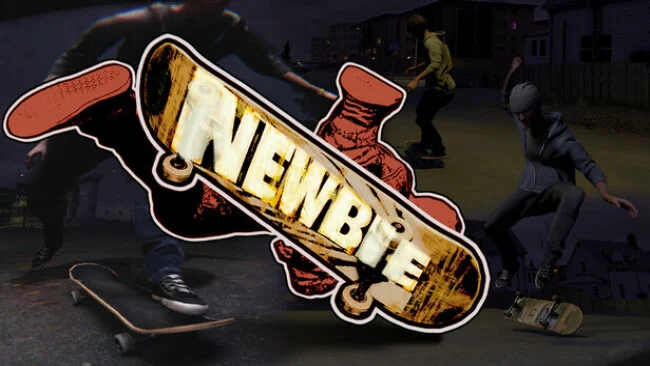
Game Overview
Every kickflip, awkward landing, and spectacular slam emerges from simulation rather than canned animation in Newbie: Become a Skateboarder. This is a deliberately raw indie skating sandbox set in a compact small town, where curbs, rails, ledges, and stair sets become personal tests of timing and balance. Its tone sits somewhere between earnest skate practice and slapstick failure: bails are frequent, messy, and often as entertaining as a clean line. Rather than chasing an arcade score attack, it focuses on the tactile satisfaction of gradually making the board do what you intend.
Players cruise freely through the current map, seek out usable spots, and learn board control through a fully physics-driven setup. The rider’s ragdoll body remains active at all times, so weight shifts, collisions, catches, and falls react dynamically instead of snapping into predetermined poses. Landing even a basic trick demands patience, since the board does not smooth over mistakes for you; a ten-stair gap can become a serious milestone rather than a quick button combo. A compatible controller is required at present, and full keyboard support is not yet available, which is important to know before jumping in.
What separates it from more polished skating games is its willingness to make instability part of the appeal. It has some of the unscripted physical comedy associated with Skate 3’s bail moments, but its smaller scope and simulation-first controls make it feel closer to an early experimental skate tool than a finished open-world sport game. The project remains in pre-alpha and is built by a solo developer, with replay tools, challenges, leaderboards, achievements, expanded customization, editors, additional modes, and map updates planned rather than fully implemented. Players who enjoy mastering demanding physics systems and following a work in progress should find plenty to experiment with, while anyone wanting a content-rich, polished successor to Skate or Tony Hawk should wait for further development.
Screenshots
Installation
- Select the Download button at the top of this page to open UploadHaven.
- On UploadHaven, wait for any countdown, then select Free Download. Optional: UploadHaven Pro for faster downloads.
- When complete, extract the archive to a Newbie: Become a Skateboarder folder using 7-Zip.
- Open the extracted folder and start the game normally.
- For errors, check Setup Guide & Troubleshooting below. Keep your security software enabled.
System Requirements
- Requires a 64-bit processor and operating system
- OS: Windows 10 (64Bit)
- Processor: Intel Core i5-7400, AMD Ryzen 3 1200
- Memory: 8 GB RAM
- Graphics: NVIDIA GTX 970, AMD RX 570
- DirectX: Version 11
- Storage: 7 GB available space
- Sound Card: Any
- VR Support: No
Setup Guide & Troubleshooting
How do I fix missing DLL errors for Newbie: Become a Skateboarder?
After extracting Newbie: Become a Skateboarder, navigate to the _Redist or _CommonRedist folder inside the game directory and install DirectX, Vcredist, and any other dependencies included.
What should I do if the downloaded file is corrupted?
The full archive is 2.06 GB — make sure your download completed fully before extracting. Use 7-Zip to extract the files. If you still see a "file corrupted" error, re-download and try again.
Do I need to run the game as administrator?
Usually, no. Start the game normally from the extracted folder. If you see a permissions or save error, check that the folder is writable and follow the game's documented fix. Only grant administrator access when a trusted game's specific setup requires it.
How do I update my GPU drivers for this game?
The game won't launch — what should I try?
Check that extraction completed and your PC meets the system requirements, including Version 11. Note any error message before choosing a fix. If it identifies a missing runtime, install the required DirectX components or Microsoft Visual C++ Redistributable from Microsoft.
My antivirus is blocking the game — is it safe?
A warning needs to be investigated; the download source alone cannot confirm that a file is safe. Keep your security software enabled and review the detection details. Do not run or restore a flagged file unless you have verified that it is a false positive. If you are unsure, leave it quarantined.