
Game Overview
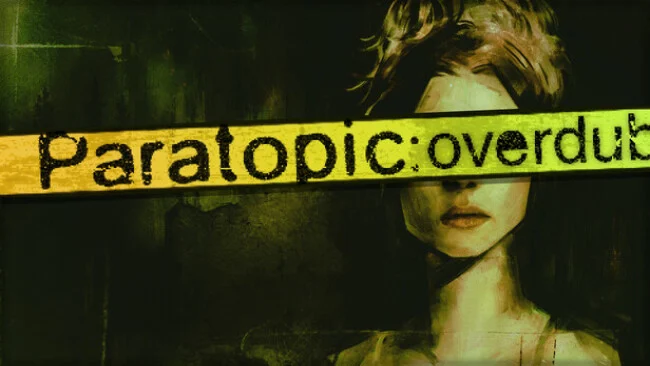
A sun-bleached road trip turns poisonous in this compact first-person horror experience, where roadside America feels less like a real place than a damaged memory caught on worn-out videotape. Paratopic: Overdub revisits the original’s uneasy tale of illicit tapes, isolated travellers, and sudden violence, while reshaping it into a stranger, expanded version of the story. Motels, gas stations, diners, and empty highways become threatening spaces through harsh low-poly imagery, distorted textures, and an atmosphere that never allows the player to feel secure. The mood is deliberately disorienting: conversations trail into nowhere, scenes cut abruptly, and the truth remains scattered across several perspectives.
Play moves between driving through endless night roads, speaking with suspicious strangers, examining small environments, and surviving brief but intense confrontations. Rather than relying on elaborate puzzles or deep combat systems, the game uses simple interactions to keep attention on tension, pacing, and the unsettling details hidden in each location. Narrative progression comes from connecting fragments yourself, including recurring imagery, strange broadcasts, offhand dialogue, and details that gain new meaning on later runs. Its short length suits the design, delivering a concentrated nightmare without padding, although players expecting conventional objectives, extensive exploration, or clear answers may find its structure frustrating.
What makes Overdub memorable is how confidently it treats confusion as part of the horror. The remade visuals, new animation work, altered environments, and added secrets give returning players reasons to revisit the original nightmare, while its fractured presentation feels closer to an experimental horror film than a standard walking simulator. Fans of Silent Hill’s uneasy atmosphere, Kentucky Route Zero’s surreal Americana, or lo-fi VHS horror will likely appreciate its abrasive style and remarkable sound design. Paratopic: Overdub is best for players who enjoy brief, interpretive horror stories and are willing to rewind, reconsider, and let unanswered questions linger.
Screenshots
Installation
- Select the Download button at the top of this page to open UploadHaven.
- On UploadHaven, wait for any countdown, then select Free Download. Optional: UploadHaven Pro for faster downloads.
- When complete, extract the archive to a Paratopic: Overdub folder using 7-Zip.
- Open the extracted folder and start the game normally.
- For errors, check Setup Guide & Troubleshooting below. Keep your security software enabled.
System Requirements
- OS: Windows 10
- Processor: Intel Core Duo Q8300 @ 2.5GHz
- Memory: 4 GB RAM
- Graphics: Intel HD Graphics 630
- Storage: 400 MB available space
- Additional Notes: These specifications match the lowest tested.
Setup Guide & Troubleshooting
How do I fix missing DLL errors for Paratopic: Overdub?
After extracting Paratopic: Overdub, navigate to the _Redist or _CommonRedist folder inside the game directory and install DirectX, Vcredist, and any other dependencies included.
What should I do if the downloaded file is corrupted?
The full archive is 686.24 MB — make sure your download completed fully before extracting. Use 7-Zip to extract the files. If you still see a "file corrupted" error, re-download and try again.
Do I need to run the game as administrator?
Usually, no. Start the game normally from the extracted folder. If you see a permissions or save error, check that the folder is writable and follow the game's documented fix. Only grant administrator access when a trusted game's specific setup requires it.
How do I update my GPU drivers for this game?
The game won't launch — what should I try?
Check that extraction completed and your PC meets the system requirements. Note any error message before choosing a fix. If it identifies a missing runtime, install the required DirectX components or Microsoft Visual C++ Redistributable from Microsoft.
My antivirus is blocking the game — is it safe?
A warning needs to be investigated; the download source alone cannot confirm that a file is safe. Keep your security software enabled and review the detection details. Do not run or restore a flagged file unless you have verified that it is a false positive. If you are unsure, leave it quarantined.