
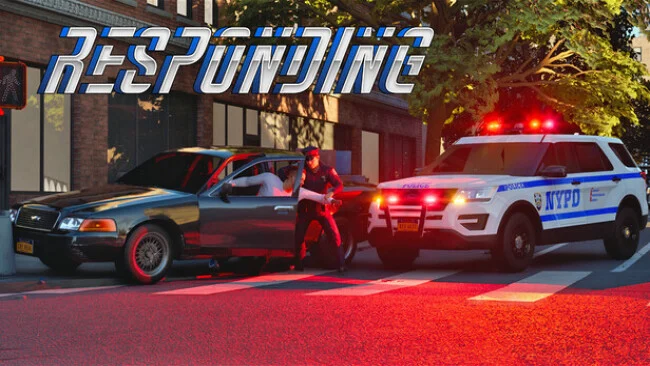
Game Overview
A fictional New York State becomes a living emergency-services sandbox where routine patrols can erupt into freeway chases, armed standoffs, medical crises, or major multi-alarm fires. Responding aims for a serious, simulation-first tone, putting police, fire, and EMS work under the same open-world roof rather than treating each discipline as a separate career. Dense city streets, suburban neighborhoods, and unpredictable calls create the feeling of being on duty in a place that never fully settles down. The appeal is less about scripted hero moments than reacting professionally when a situation changes faster than expected.
Players choose how to serve, whether that means stopping suspicious vehicles, issuing citations, pursuing fleeing drivers, securing a dangerous scene, or joining firefighters and medics at escalating incidents. Police encounters use shooter-informed details including tactical reloads, controlled breathing, and ammunition management, so confrontations demand more care than simply aiming and firing. AI colleagues are designed to handle useful tasks such as interviewing witnesses, gathering evidence, and controlling perimeters, while cooperative play lets friends divide responsibilities across an incident. Calls can begin quietly and develop into chaotic events, making scene control, coordination, and sound judgment as important as driving fast or shooting accurately.
Vehicle customization is unusually granular for the genre: players can alter onboard equipment storage, antennas, warning-light configurations, flash patterns, and message-board displays, with multiple lighting presets available on the fly. That attention to operational detail gives Responding a strong role-play angle, especially for players who enjoy building believable patrol cars, ambulances, and fire apparatus before heading out. Its mix of free-roam policing, tactical action, and large-scale emergency response recalls the open-ended spirit of FiveM role-play servers, but with systems designed around emergency work rather than criminal sandbox chaos. Simulation fans, first-responder enthusiasts, and groups looking for a cooperative alternative to standard open-world action games are the clearest audience, though players should expect an evolving project as development continues.
Screenshots
Installation
- Select the Download button at the top of this page to open UploadHaven.
- On UploadHaven, wait for any countdown, then select Free Download. Optional: UploadHaven Pro for faster downloads.
- When complete, extract the archive to a Responding folder using 7-Zip.
- Open the extracted folder and start the game normally.
- For errors, check Setup Guide & Troubleshooting below. Keep your security software enabled.
System Requirements
- Requires a 64-bit processor and operating system
- OS: Windows 10 64-bit version 1909 revision 1350 or higher, or versions 2004 and 20H2 revision 789 or higher
- Processor: Quad-core Intel or AMD, 2.5 GHz or better
- Memory: 8 GB RAM
- Graphics: Nvidia RTX 2060, AMD Radeon RX 5600 XT 6GB, Intel Arc A380
- DirectX: Version 12
- Storage: 16 GB available space
Setup Guide & Troubleshooting
How do I fix missing DLL errors for Responding (v0.855)?
After extracting Responding (v0.855), navigate to the _Redist or _CommonRedist folder inside the game directory and install DirectX, Vcredist, and any other dependencies included.
What should I do if the downloaded file is corrupted?
The full archive is 11.71 GB — make sure your download completed fully before extracting. Use 7-Zip to extract the files. If you still see a "file corrupted" error, re-download and try again.
Do I need to run the game as administrator?
Usually, no. Start the game normally from the extracted folder. If you see a permissions or save error, check that the folder is writable and follow the game's documented fix. Only grant administrator access when a trusted game's specific setup requires it.
How do I update my GPU drivers for this game?
The game won't launch — what should I try?
Check that extraction completed and your PC meets the system requirements, including Version 12. Note any error message before choosing a fix. If it identifies a missing runtime, install the required DirectX components or Microsoft Visual C++ Redistributable from Microsoft.
My antivirus is blocking the game — is it safe?
A warning needs to be investigated; the download source alone cannot confirm that a file is safe. Keep your security software enabled and review the detection details. Do not run or restore a flagged file unless you have verified that it is a false positive. If you are unsure, leave it quarantined.