
VR HOT (v0.14.0.3 & Uncensored)
Game Overview
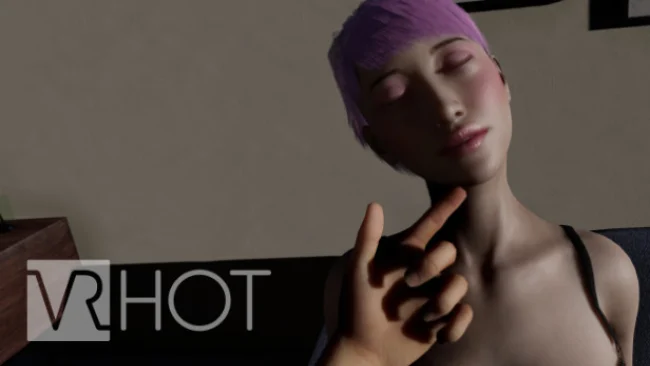
A customizable adult VR sandbox, VR HOT centers on building virtual partners and interacting with them in private, player-directed scenes. Its tone is less about a scripted narrative than personal fantasy fulfillment, using virtual reality to create a stronger sense of presence than a conventional adult simulator. The focus remains on consensual encounters, with reactive characters designed to feel more responsive than static models. Rather than presenting a fixed cast or campaign, it treats the player as both participant and creator.
Interaction relies on motion controls, voice input, menus, and a body-embodiment system that gives the player a configurable virtual form instead of floating hands. Characters move, speak, and react to actions, while a physics-driven animation setup aims to make close-range contact feel less mechanical. Hip tracking and thrust controls extend the VR control scheme for compatible setups, although comfort settings, tracking quality, and available hardware naturally shape how convincing the experience feels. Creation tools let players save custom partners, adjusting appearance through options such as body customization and makeup, then revisit those creations later.
What separates VR HOT from simpler adult VR experiences is its emphasis on agency: partner creation, voice-driven requests, full-body presence, and interactive behavior all support a more personalized session. The developers also frame the project around adult-only, consensual content and intend broader representation across gender, ethnicity, and age appearance. Visual polish and immersion depend heavily on headset performance and the limits of current VR interaction, so players expecting a story-heavy romance game may find it sparse. It suits VR users who want an experimental, customizable adult toy rather than a traditional game, especially those who value responsive characters over preset scenes.
Screenshots
Installation
- Select the Download button at the top of this page to open UploadHaven.
- On UploadHaven, wait for any countdown, then select Free Download. Optional: UploadHaven Pro for faster downloads.
- When complete, extract the archive to a VR HOT folder using 7-Zip.
- Open the extracted folder and start the game normally.
- For errors, check Setup Guide & Troubleshooting below. Keep your security software enabled.
System Requirements
- Requires a 64-bit processor and operating system
- OS: Windows 10
- Processor: Intel i5 series or AMD Ryzen 5
- Memory: 16 GB RAM
- Graphics: Nvidia GTX 1080 Ti
- DirectX: Version 11
- Storage: 10 GB available space
- Additional Notes: Steam VR needs to be installed. All SteamVR-compatible headsets (not standalone) should be compatible. Compatibility tested and confirmed for Oculus Quest 1 (with Link) and Valve Index.
Setup Guide & Troubleshooting
How do I fix missing DLL errors for VR HOT (v0.14.0.3 & Uncensored)?
After extracting VR HOT (v0.14.0.3 & Uncensored), navigate to the _Redist or _CommonRedist folder inside the game directory and install DirectX, Vcredist, and any other dependencies included.
What should I do if the downloaded file is corrupted?
The full archive is 18.04 GB — make sure your download completed fully before extracting. Use 7-Zip to extract the files. If you still see a "file corrupted" error, re-download and try again.
Do I need to run the game as administrator?
Usually, no. Start the game normally from the extracted folder. If you see a permissions or save error, check that the folder is writable and follow the game's documented fix. Only grant administrator access when a trusted game's specific setup requires it.
How do I update my GPU drivers for this game?
The game won't launch — what should I try?
Check that extraction completed and your PC meets the system requirements, including Version 11. Note any error message before choosing a fix. If it identifies a missing runtime, install the required DirectX components or Microsoft Visual C++ Redistributable from Microsoft.
My antivirus is blocking the game — is it safe?
A warning needs to be investigated; the download source alone cannot confirm that a file is safe. Keep your security software enabled and review the detection details. Do not run or restore a flagged file unless you have verified that it is a false positive. If you are unsure, leave it quarantined.